
1. Use Safari(Has to be Safari) to visit this website: https://www.pgyer.com/udid/ and you will see the page below:
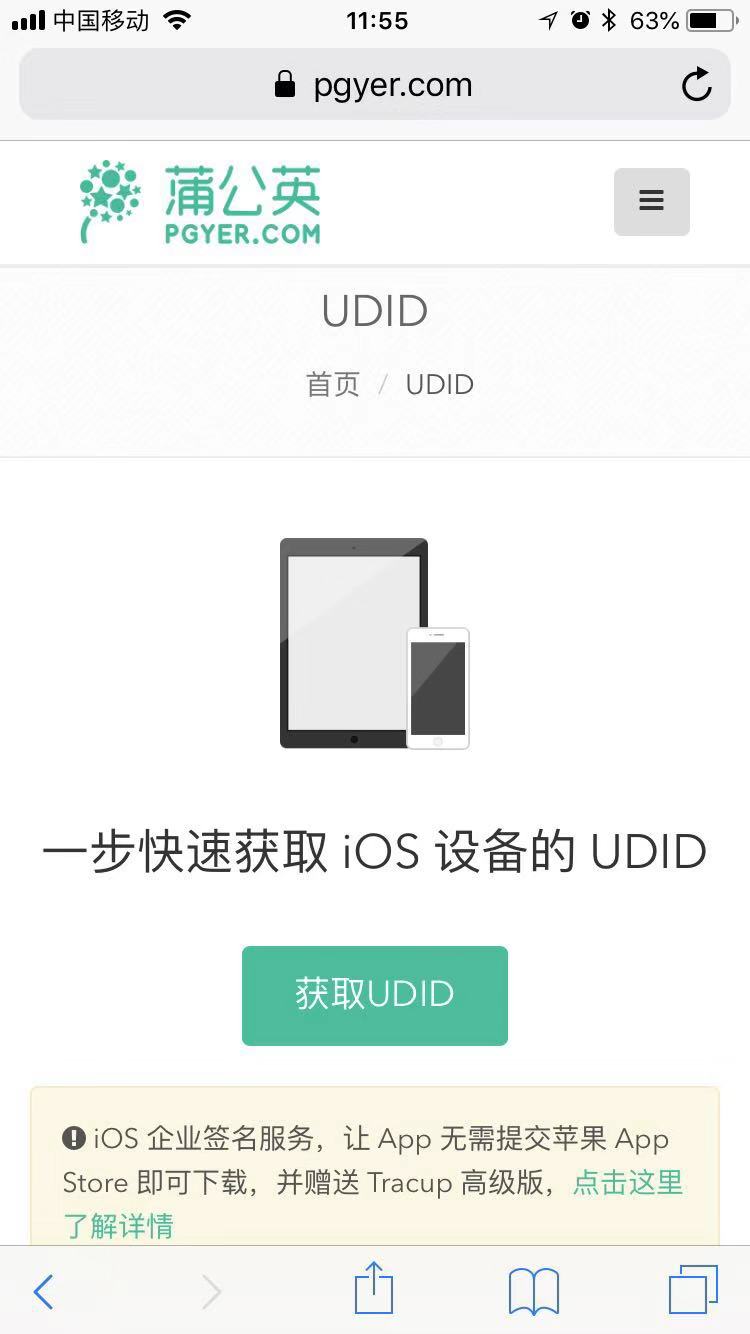
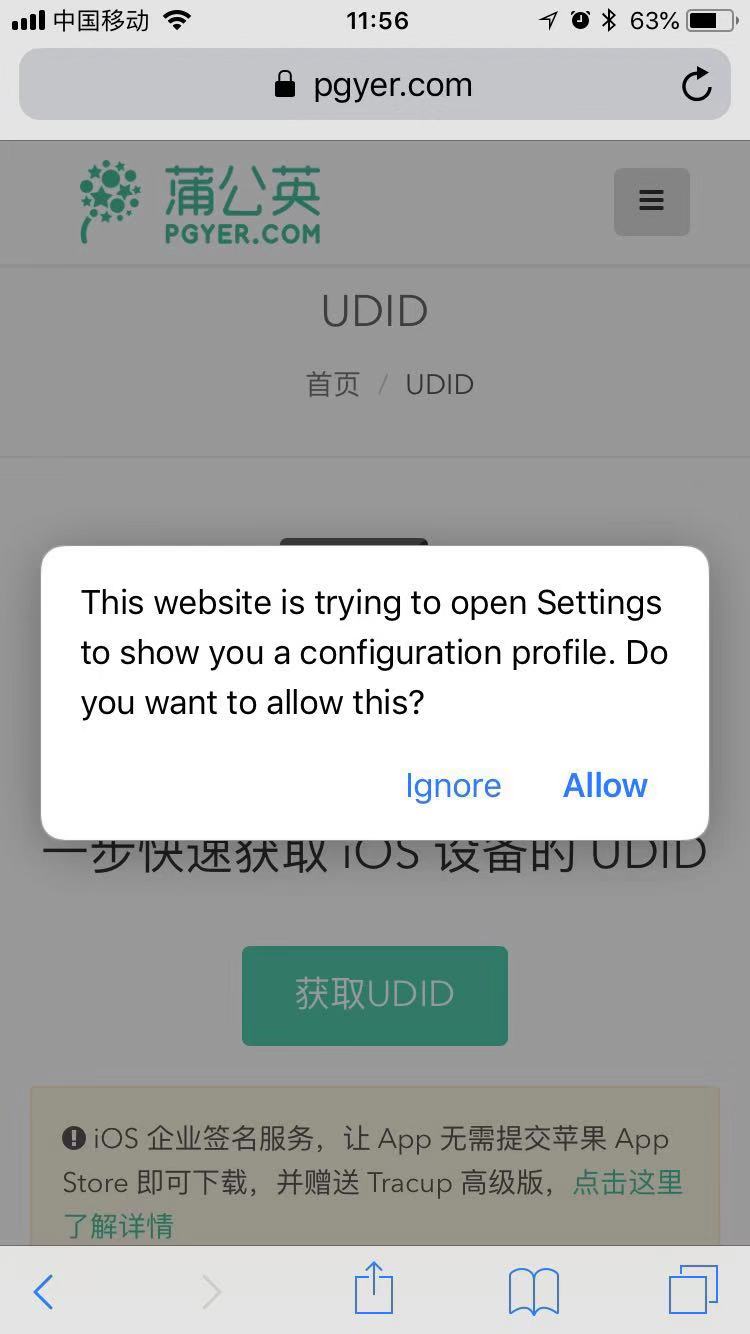
2. Click the green button "获取UDID", and you will see the popup window. click Allow
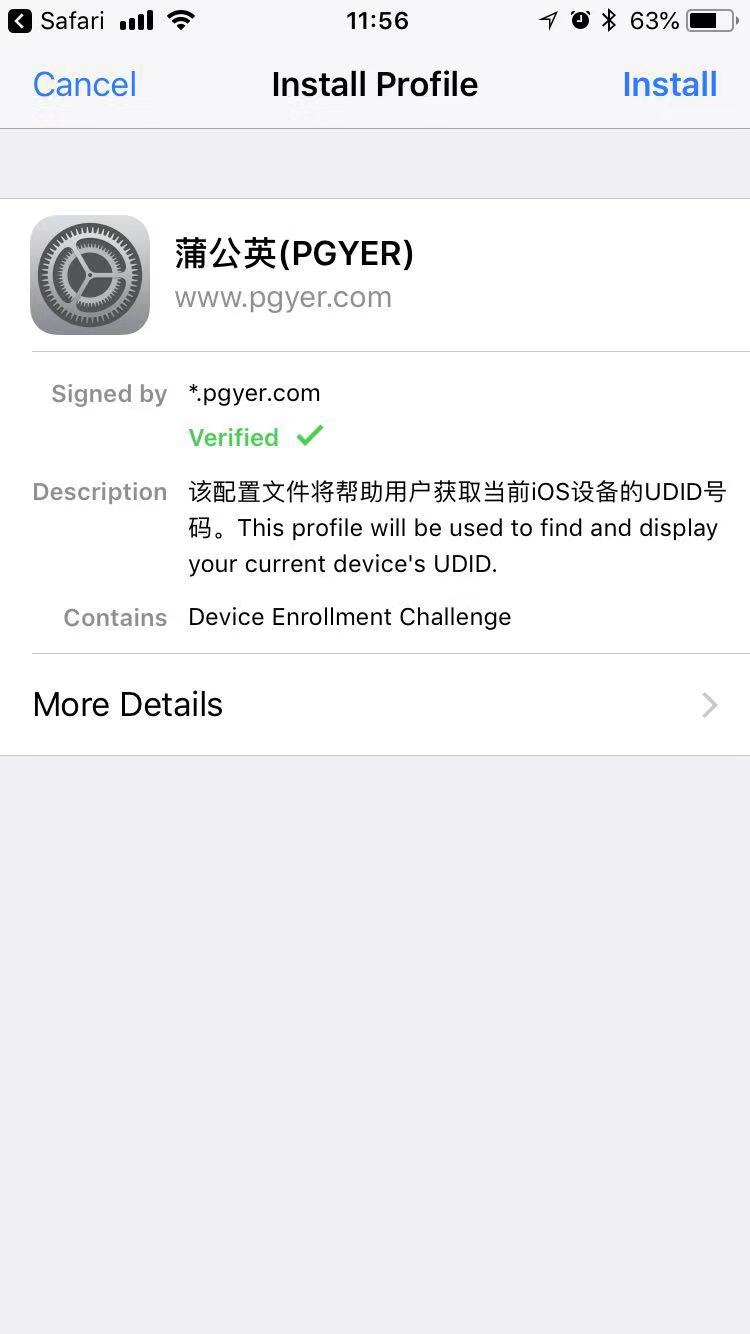
3. Click Install button of the top right, and follow the step
4. When finish the installation, System will jump to Safari itself and show the page below:
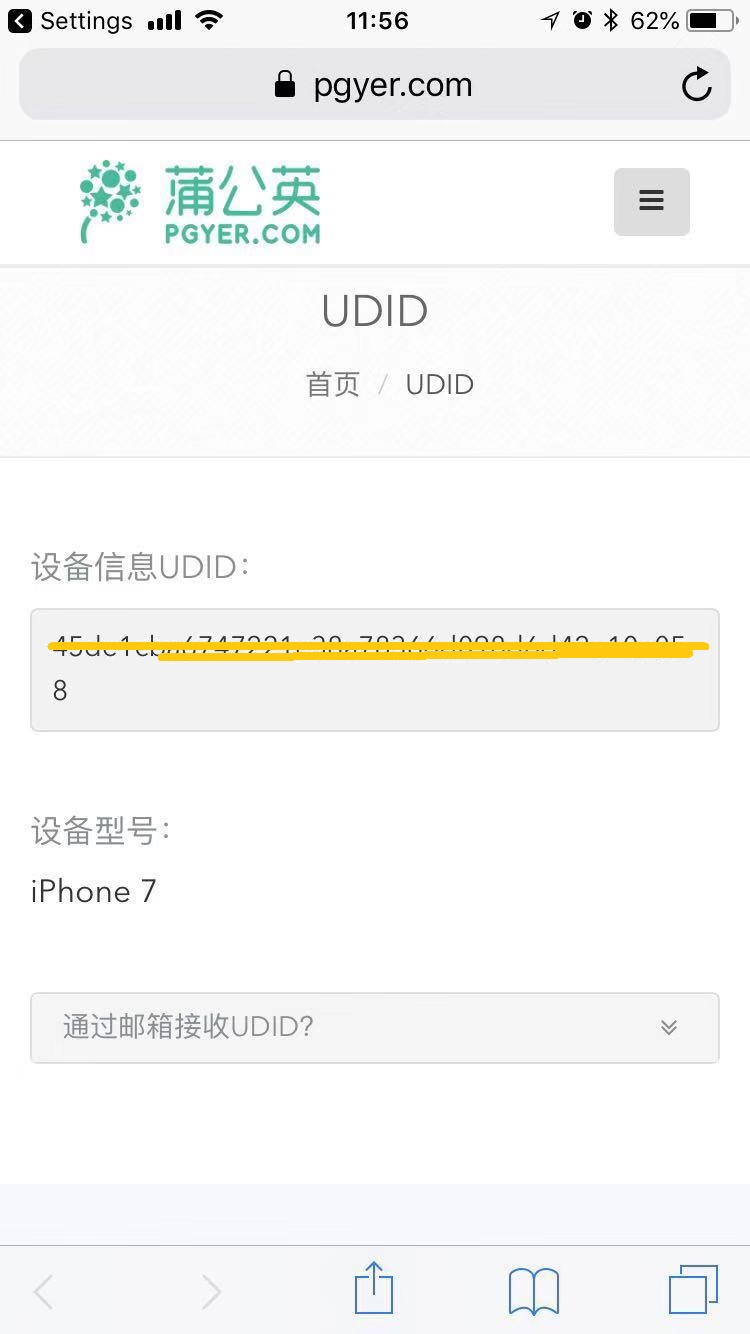
5. Copy the UDID of the yellow line, and send it to us (Send the name of your device at the same time.)